What’s new in Elgato Studio 2.0?
Elgato Studio 2.0 brings Prompter, cameras, and capture together in one app. This update introduces Virtual Prompter, a new Script Manager, faster Voice Sync, and multistream chat, plus camera support and a long list of improvements.
💻 Introducing Virtual Prompter
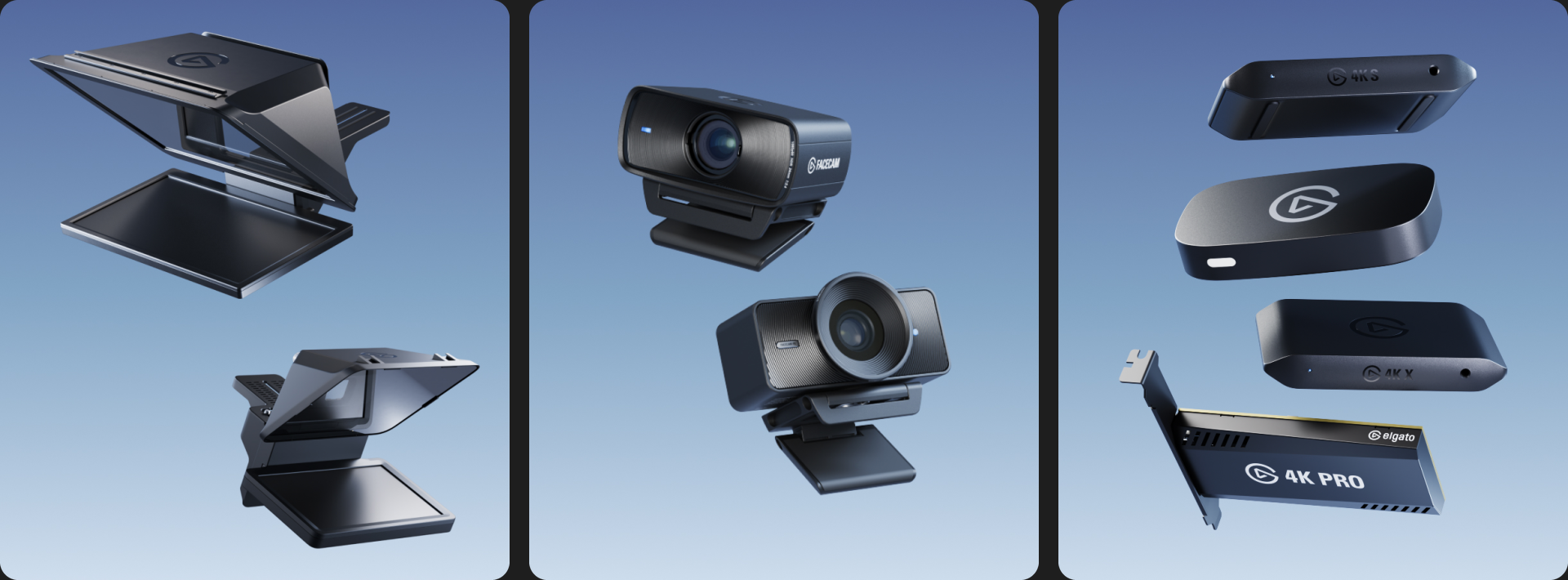
Virtual Prompter turns the laptop or monitor you already own into a teleprompter for scripts and live stream chat. It comes in two modes:
- In Docked mode, it sits right below your camera, so your eyes stay close to the lens. It's free for everyone, and you can use it right now.
- With Virtual Prompter Pro, it floats in a window you can move, resize, or make fullscreen on a field monitor, extra display, or even a third-party teleprompter. Virtual Prompter Pro is available for $2.99/month, $29.90/year, or $49.99 for lifetime access. It's also included when you connect an Elgato Prompter or Prompter XL.
🔗 Watch the Virtual Prompter overview video
📝 Script Manager
Write your teleprompter scripts anywhere, no Prompter needed. The new editor is made for writing:
- Structure long scripts with headings, lists, and outlines.
- Write in Markdown, or paste from Google Docs or Notion and keep your formatting.
- Import .docx, .odt, .txt, and .html files.
- Find any script fast in one searchable library.
- Bring your Camera Hub scripts over in one step.
📺 Presentation Tools
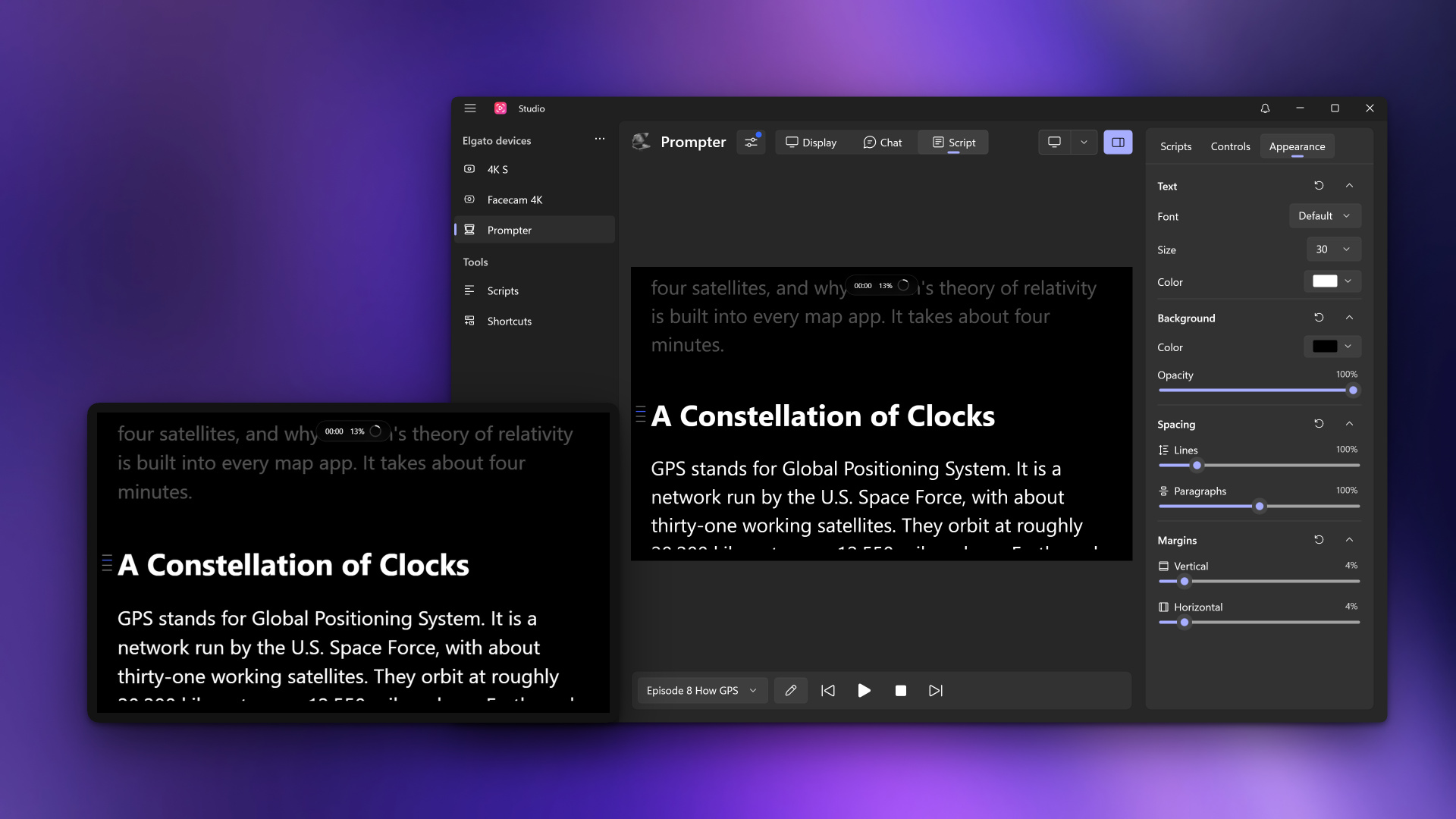
Set the font, size, colors, margins, and spacing until your script reads comfortably. On-screen overlays show your progress and session time, and a table of contents built from your headings jumps to any section.
🎬 Operator View
In a studio or small team, Operator View mirrors the Prompter inside Elgato Studio, so production and talent always see the same script at the same spot. One person runs the script from their own monitor while the other reads it on camera.
🗣️ Voice Sync 2.0
Voice Sync now runs on nearly any PC or Mac, including Intel and AMD systems. No NVIDIA graphics card or Apple silicon required. It scrolls your script as you speak, faster and more reliably than before, and keeps pace when you change speed or go off-script. You can tune it from strict, word-for-word tracking to a looser follow that leaves room to ad-lib. Voice Sync supports English, German, Spanish, French, Dutch, Polish, Portuguese (Brazil), and Portuguese (Portugal).
💬 Chat Mode
You asked for more chat platforms, so Chat Mode now shows Twitch, YouTube, and Kick on your Prompter in one combined feed. Follow every platform at once or filter to just one, with optional viewer counts, platform badges, and timestamps.
📷 Camera Support
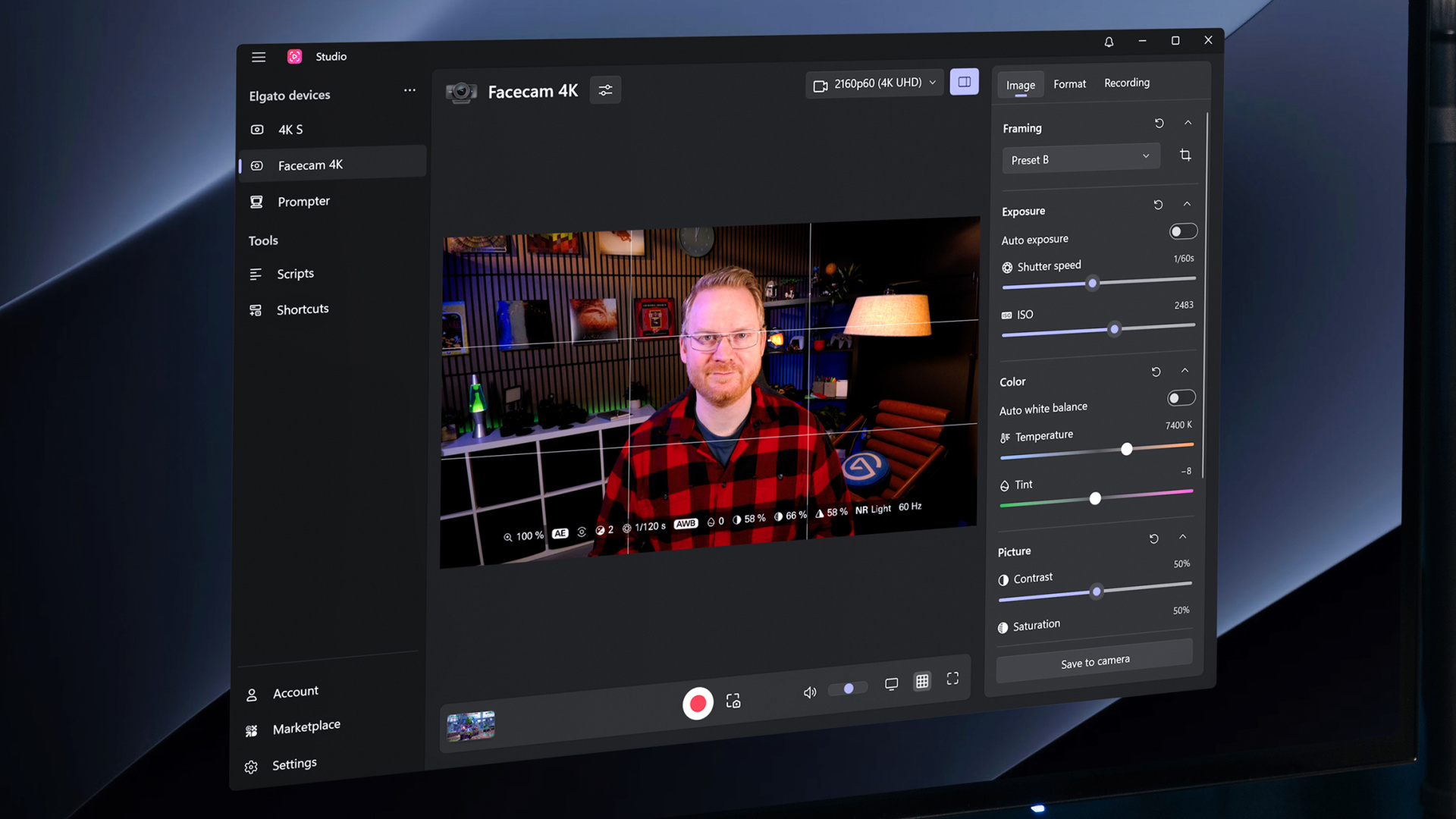
Elgato Studio now controls your Facecam and Cam Link. Set exposure, focus, and white balance, save pan, tilt, and zoom to Frame Presets, and record without leaving the app. Turn on the Camera HUD for live metrics and a composition grid. Available controls vary by model.
🎙️ Audio Input Selection
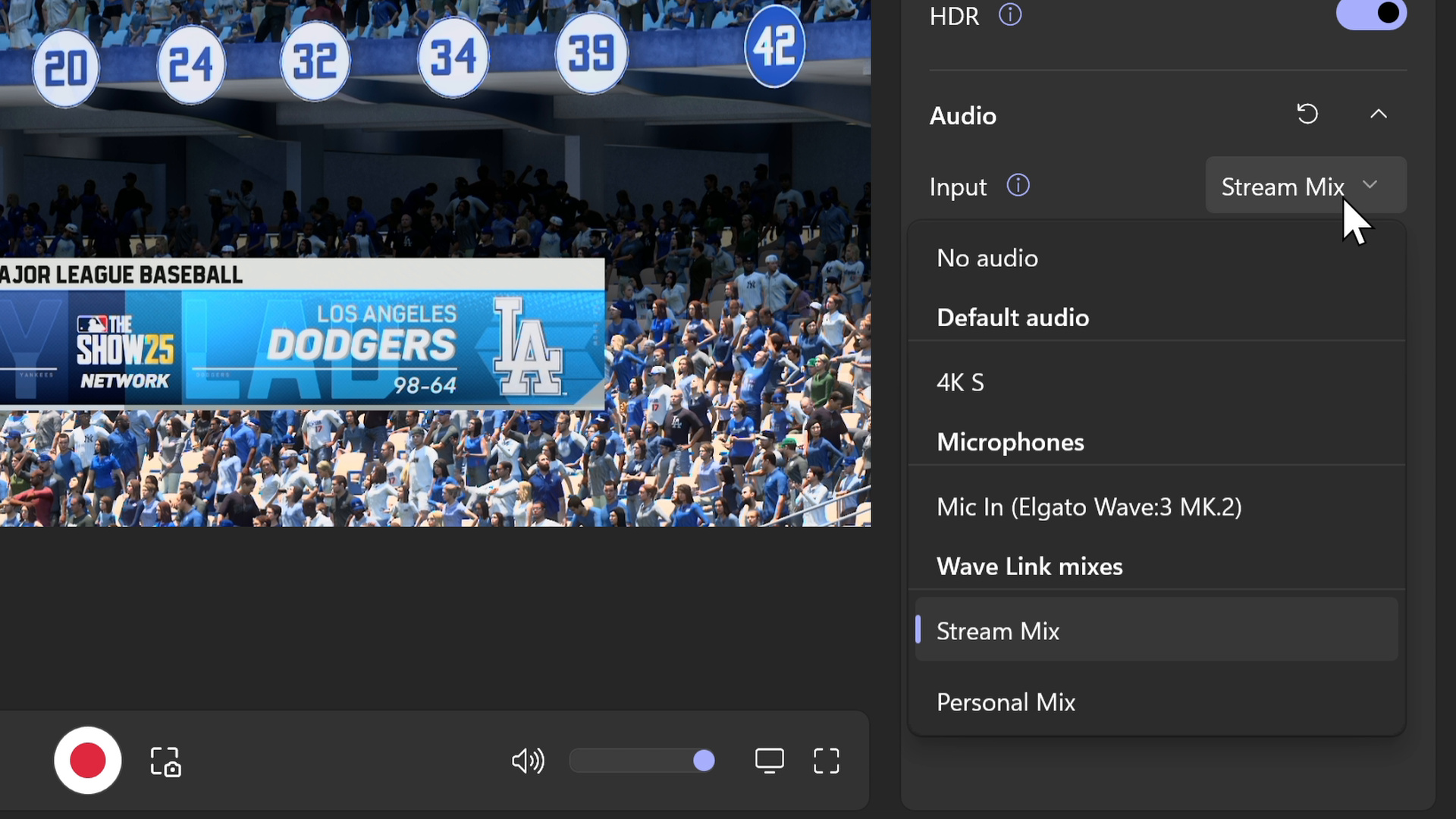
Choose the audio for each capture device: the capture card’s own audio, a system microphone, a virtual device, or a Wave Link mix.
⌨️ Stream Deck Plugin
The Elgato Studio plugin is updated with new actions and new key visuals. Start a recording or scroll your script from your Stream Deck, even when Elgato Studio isn't in focus.
🔗 Get the Elgato Studio plugin
🛠️ Improvements & bug fixes
- Added sign-in with an Elgato account inside Elgato Studio for Virtual Prompter Pro.
- When no device is connected, Elgato Studio now shows supported products by category, with a link to help.
- All devices can now be renamed, and device settings show the model and hardware revision.
- The device menu now shows the USB connection speed and version for USB cameras and capture cards.
- The control bar now always shows audio level meters, with the volume slider built in.
- Sections in device settings can now be collapsed, and each section has its own reset button.
- (Windows) Keyboard shortcuts can now be assigned to actions on any device, and they work while Elgato Studio runs in the background.
- (Windows) A notification center in the top bar lists firmware, driver, and software updates along with device warnings.
- (Windows) Elgato Studio can now start automatically when signing in to Windows, and closing the window minimizes it to the system tray.
- Fixed an issue where 2160p could not be selected as a recording format for Game Capture HD60 X.
- (macOS) Fixed an issue where Elgato Studio could become unresponsive with several capture devices connected.
- (macOS) Fixed an issue where Elgato Studio could crash on macOS 27.
- (Windows) Fixed an issue where Game Capture 4K X did not recover after another application released it.
- (Windows) Fixed an issue where the window position was not restored correctly on monitors with different scaling.
Want to share feedback on Elgato Studio 2.0? Connect with us:
- Leave a comment on our Subreddit
- Chat with fellow community members on Discord
- Hit up @elgato on X
- Discover more on Explorer
- Contact our Support Team